Fix connection strings and aliases
Description
Adds a utility on the Bulk Operations menu in the Web Projects Control Panel that scans all UX and Grid components for explicit connection strings and replaces them with named connection strings. If a needed named connection string does not exist, it is created. Xbasic code is also scanned for explicit file paths, which are converted to use aliases.
Discussion
Use Edit > Bulk Operation > Fix connection strings and aliases to normalize data connections and file references across a project. This command:
- Finds explicit connection strings in UX and Grid components and replaces them with named connection strings.
- Creates missing named connection strings when required.
- Scans Xbasic code for hard-coded file paths and converts them to use aliases.
Running the Fix
On the Web Projects Control Panel for the active Project, choose Edit > Bulk Operation > Fix connection strings and aliases.
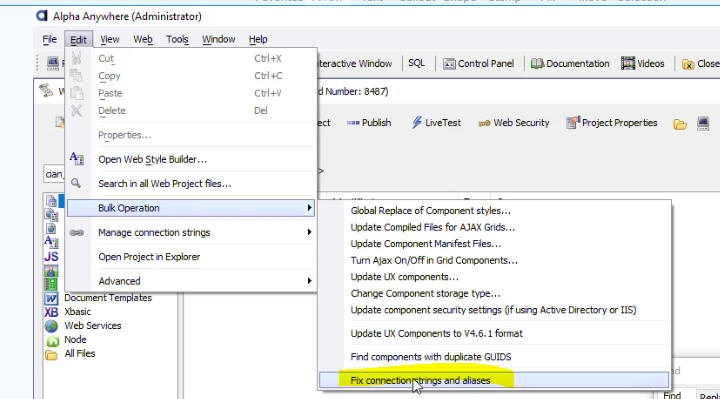 Fix connection strings and aliases
The utility will scan UX and Grid components for explicit connection strings and replace them with named connection strings. If a required named connection string does not exist, it will be created automatically.
All Xbasic code in the project will also be scanned for explicit file paths. Any hard-coded paths that are found will be converted to use aliases.